How to Organize Travel Bookings Without Email Chaos
Learn how to organize travel bookings using Gmail search hacks, automated trip apps, and pre-trip audits so you never lose a confirmation again.

To organize travel bookings efficiently, move away from basic inbox search and set up a structured system. Combine smart Gmail search operators for quick lookups, maintain offline digital backups on your phone, and use an automated trip parser or scanner to consolidate flight, hotel, and rental confirmations into a single live timeline.
You are standing at the car rental counter after a nine-hour flight. Your phone battery is at 4 percent, airport Wi-Fi requires a text verification code you cannot receive, and the agent asks for your confirmation number. You open your email, type "booking", and get hit with 84 results - including promotional newsletters and a hotel receipt from two years ago.
It is a familiar form of travel stress, but completely optional. Receiving a confirmation email is not the same as organizing your trip.
To keep track of flight and hotel bookings without losing your sanity, build a system for three operational moments:
- Planning time: When comparing prices, checking cancellation windows, or reviewing check-in rules.
- The pre-trip check: The night before departure, verifying names, passport expiration dates, and flight times.
- Travel day: Standing in a crowded terminal with zero network connection, needing your gate or hotel address right now.
Most travelers rely on raw inbox search for all three. That is where things break down.
The 4 Levels of Travel Organization
Travelers generally fall into one of four organization levels. Understanding where your current setup sits makes it easy to upgrade.
Level 0: Pure Inbox Search
You leave every confirmation in your main inbox and search provider names on the fly.
- Why it breaks: Airlines operate under parent names, booking portals use obscure email addresses, and searching "flight" brings up marketing junk.
Level 1: Folders and Labels
You drag confirmation emails into a dedicated "Tokyo 2026" folder.
- What it fixes: Isolates trip emails from general inbox noise.
- Why it breaks: Folders do not line up your flight, hotel, and train times chronologically.
Level 2: Manual Spreadsheets
You copy confirmation numbers, hotel addresses, and check-in times into a Google Sheet.
- What it fixes: Gives you a clear timeline in one place.
- Why it breaks: High maintenance. If an airline shifts a departure by 35 minutes, your sheet is outdated unless you manually edit it.
Level 3: Automated Itinerary Tools
Software ingests confirmation emails and converts raw text into a chronological timeline.
- What it fixes: Eliminates manual data entry and updates itineraries automatically.
- Why it breaks: Layout changes or regional date formats can occasionally confuse automated parsers.
Master Gmail Search Operators for Emergency Lookups
If you rely on basic keyword searches like "hotel", your inbox will betray you under pressure. Copy these exact search strings into Gmail to slice through clutter:
- Find flight confirmation codes:
from:(airline OR booking OR expedia OR flight) "confirmation code" OR "record locator" OR "PNR" - Filter out promotional noise:
subject:(confirmation OR reservation OR itinerary) -subject:(sale OR deal OR offer OR discount) - Locate attached PDF tickets:
has:attachment filename:pdf (itinerary OR boarding) - Search by destination and date range:
Rome (after:2026/05/01 before:2026/06/01)
Set up a Gmail filter with these parameters to route travel confirmations to a designated label automatically.

The Maintenance Trap: Why Manual Systems Fail
The biggest flaw in travel advice is assuming booking details stay static. They almost never do.
Consider a typical booking cycle. You book a flight in March (Email 1). In May, the airline shifts departure by 20 minutes (Email 2). In June, you select your seats (Email 3). In July, an aircraft swap changes your seat assignments (Email 4).
If you rely on a static spreadsheet or printed emails from March, you hold stale data. Which email contains your actual seat number? Handing an agent an outdated printout risks missed flights and check-in delays.
A functional system must handle modification chains automatically, overwriting old departure times and seat numbers as updates arrive.

Automated Trip Tracking: Forwarding vs. Direct Email Scanning
Automation eliminates manual errors, but underlying tech varies by app.
The Forwarding Model
Tools like TripIt require you to send confirmation emails to plans@tripit.com, where a parser builds an app timeline. TripIt offers a free tier, plus a Pro subscription ($49 per year) for delay alerts. The catch is friction: you must remember to forward every message and schedule update, or your timeline falls out of sync.
The Direct Scanning Model
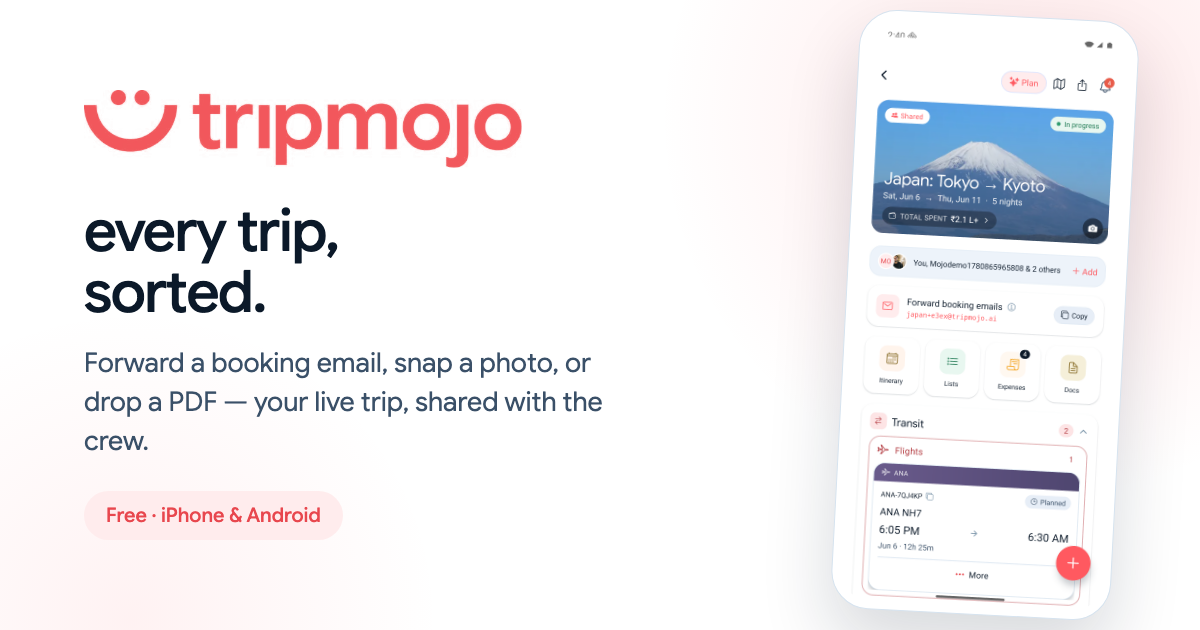
Modern platforms like Tripmojo connect directly to your email via secure OAuth permissions. The app scans incoming travel confirmations, organizing flights, hotels, and rentals into chronological itineraries. Schedule updates reflect automatically without manual forwarding.
We compared the apps that do this in the best TripIt and Wanderlog alternatives.
Audit Your Parsers
No parser is 100 percent perfect. Unusual PDF layouts or obscure time zone formats can cause extraction errors. Always spend two minutes comparing your parsed itinerary against original confirmation emails before traveling.

Do Not Forget Your Loyalty Points
Frequent travelers often scatter miles and reward points across six different airline and hotel programs. Over time, balances sit forgotten, points expire unnoticed, and status tiers slip away simply because checking six separate portals is a chore.
A loyalty points tracker that lives next to your travel plans solves this. Tripmojo now includes one: enter each program once - membership number, current balance, tier - and they all sit together in a single wallet inside the app. Instead of logging into half a dozen airline portals before booking, you check one screen and know exactly where every balance stands.
Group Travel: Eliminating the Chat Thread Nightmare
Organizing trip details for one person is hard enough; group trips often devolve into chat thread chaos. When five people book separate flights, one person rents the car, and another books the Airbnb, confirmation screenshots get buried under hundreds of text messages.
Fix group travel with three rules:
- Assign a lead coordinator: The person booking shared lodging or transport shares the live confirmation link with everyone.
- Use a shared trip hub: Pick an itinerary tool that lets all travelers view the master schedule, landing times, and house addresses on their own devices.
- Save arrival details offline: Ensure everyone saves the first night's address and lead reservation name locally before boarding.
The Pre-Trip Audit Checklist & Security Protocols
Run this audit 24 hours before heading to the airport to protect your schedule and security.
1. Name Matching Audit
Verify your reservation name matches your passport character for character. Typos, missing middle names, or hyphen errors cause check-in glitches.
2. The 6-Month Passport Rule
Many countries require six months of passport validity beyond your departure date. If you need an emergency renewal abroad, expect to pay around $170 at an embassy.
3. Offline Backups
Data from IATA shows over 75 percent of travelers use mobile boarding passes. Never rely solely on live cell data:
- Save boarding passes and itinerary PDFs to local storage like Apple Wallet or Google Files.
- Keep one printed copy of your first-night hotel reservation in your carry-on for border officials.
4. Privacy and Security Rules
Avoid broad Gmail auto-forwarding rules containing keywords like "booking", which can accidentally forward financial receipts or account emails. Use direct integrations, secure encrypted vaults for passport scans, and enable two-factor authentication on all travel accounts.

Frequently asked questions
What is the fastest way to find a lost booking confirmation in Gmail?
Use precise search operators like from:(airline OR hotel) subject:(confirmation OR reservation) "confirmation code". This strips out marketing emails and surfaces actual reservation records with reference numbers instantly.
Should I still print paper copies of my travel confirmations?
Yes, for key documents. Keep a physical printout of your first-night hotel reservation and passport page in your carry-on bag. Border officers often request paper proof of accommodation, and it saves you if your phone battery dies.
Why do manual travel spreadsheets fail during long trips?
Spreadsheets are static snapshots. When airlines adjust departure times, update seat assignments, or change gates, manual sheets become inaccurate unless you constantly edit them on the go.
Is it safe to connect my email to an automated travel app?
Yes, as long as the service uses standard OAuth authentication. OAuth grants specific, limited read access to parse travel confirmations without exposing or storing your primary account passwords.
Written and fact-checked by Tripmojo’s editorial team. Drafted with AI assistance, then reviewed by Simran Raheja before publishing.
Related articles
 How to plan a group trip without the group-chat chaos
Six practical fixes for the usual group-trip mess, buried links, ghost voters, splitting bookings, and how to keep everyone actually excited until departure day.
- How to Book Flights for a Group Without a Price Jump
Why flight prices jump when you book several seats at once, how airline fare buckets really work, and how to book for 2, 6 or 10+ people without overpaying.
- Free Airline Stopover Programs: How to Book Hotel & City Stays
Discover how free airline stopover programs work. Learn to book free stopover hotels in Doha, Dubai, Istanbul, and Abu Dhabi with our step-by-step guide.
 The All in One Travel App: How Tripmojo Replaces 6 Apps
Tripmojo functions as an all in one travel app, consolidating flight tracking, offline itineraries, expense splitting, visa rules, and maps into a single tool.
 The 10 Best Luxury Hotels in the World Right Now
A researched, photographed countdown of the world's 10 best luxury hotels, each scored on Tripmojo's own 5-part Mojo Score - design, service, exclusivity, amenities, and value.
- 10 Rules for Traveling With Friends Without Fighting
Real travel with friends tips from someone who's survived the group trips, 10 honest rules to keep the friendship intact and the trip unforgettable.