Avoid International Roaming Bill Shock from an Indian SIM
Three phone settings that stop accidental Indian-SIM roaming data, plus a screenshot-ready pre-flight checklist for calls, SMS and dual-SIM travel.
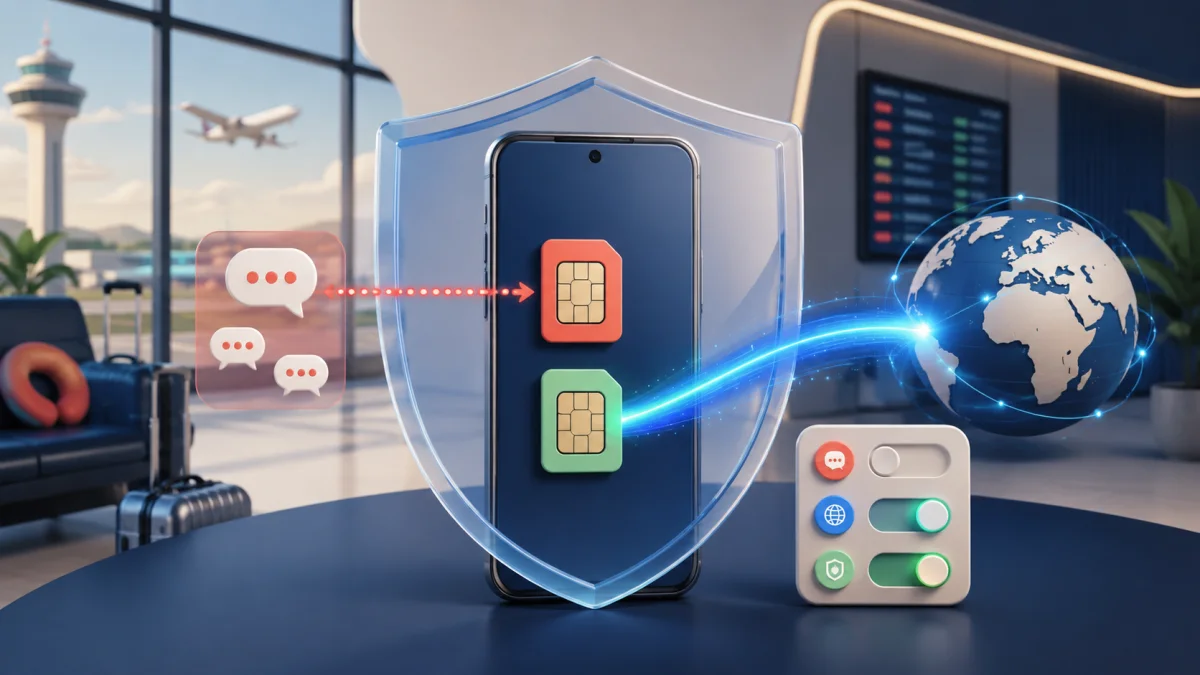
Select the travel eSIM as your data line, turn data roaming off specifically for the Indian SIM, and disable automatic cellular-data switching. Keep the Indian line on only if you need incoming messages. Avoid calls and outgoing SMS unless you have checked the current country rate or bought a suitable pack.
Most roaming bill shock is not caused by someone deliberately streaming a film abroad. It starts with a phone doing what it was designed to do: backing up photos, refreshing mail, switching to a stronger data line, answering a call or sending an account-verification message.
The fix is not to switch off the Indian SIM if you need bank messages. Keep the line enabled, but remove it from every chargeable path you do not intend to use. Three settings do most of that work: choose the travel eSIM for mobile data, disable data roaming on the Indian line, and turn automatic data switching off.
Note: Incoming SMS, including OTPs, is free on international roaming with most Indian operators, but roaming has to be enabled before you fly and some prepaid plans need a small activation pack first.
Charges and rules vary by operator, plan type and country. Confirm in your operator's app before departure.
Incoming-SMS charging and OTP delivery are separate questions. Even with a correct setup, a bank or messaging gateway can delay or block an OTP. Save a backup login method before travelling.
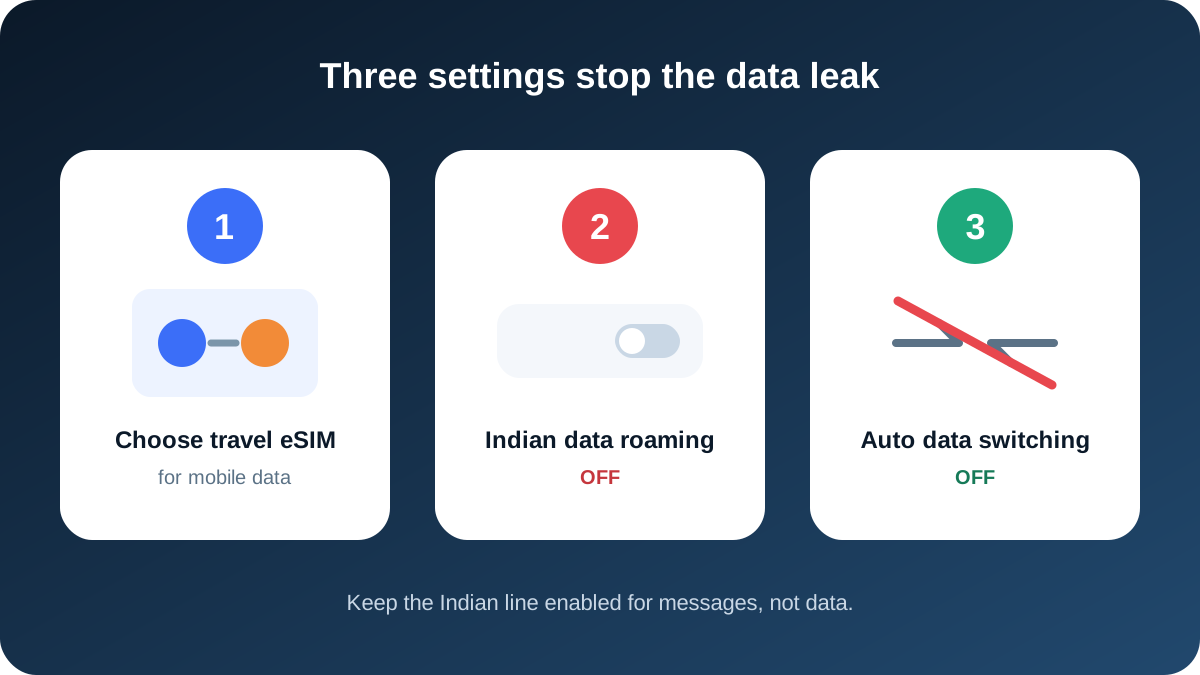
Setting 1: make the travel eSIM the data line
A dual-SIM phone needs one preferred line for mobile data. Installing an eSIM does not always select it. Open the SIM settings and explicitly assign mobile data to the travel profile.
Use clear labels such as India OTP and Travel data. A label reduces mistakes when the phone displays two similar numbers or generic names like Primary and Secondary.
| Phone role | Indian SIM | Travel eSIM |
|---|---|---|
| Mobile data | Not selected | Selected |
| Incoming SMS | Available when roaming service is active | Not applicable on a data-only plan |
| Ordinary cellular calls | Avoid unless packed or intentionally charged | Usually unavailable |
| App calls and messages | Uses the eSIM's internet | Carries the data |
On iPhone, open Settings, then Cellular or Mobile Service, then Cellular Data. Select the travel eSIM. On Android, open SIM manager, SIMs or Mobile network, then choose the travel eSIM under Mobile data or Preferred SIM for data.
Setting 2: turn data roaming off for the Indian line
Data roaming is configured per line on most dual-SIM phones. Open the Indian line itself and turn its Data Roaming switch off. Do not rely on a single global control or assume selecting the eSIM has disabled the other profile.
The travel eSIM may need its own data roaming switch on because it connects through a partner network. That is normal. The safe combination is travel-eSIM data roaming according to its instructions and Indian-SIM data roaming off.
| Toggle | Safe OTP-only state | Why |
|---|---|---|
| Indian line enabled | On | It needs to register for incoming SMS |
| Indian-line data roaming | Off | Blocks roaming packet data on that line |
| Travel-eSIM data roaming | Follow install email | Many data eSIMs require it |
| Airplane mode after landing | Off | Both lines need radio access |
Turning off Indian-SIM data does not stop ordinary incoming SMS. Operator-level international roaming must still be active for the SIM to register abroad.
Setting 3: disable automatic data switching
iPhone calls this Allow Cellular Data Switching. Android manufacturers use names such as Switch mobile data automatically, Auto data switching, Backup data or Data switching and backup calling.
The feature lets a phone use the other SIM when the selected line has weak service or a call changes radio behaviour. At home that can improve reliability. Abroad it can silently move app traffic to a pay-as-you-go Indian line.
Turn it off before departure and verify it again after installing a new profile or updating the operating system.
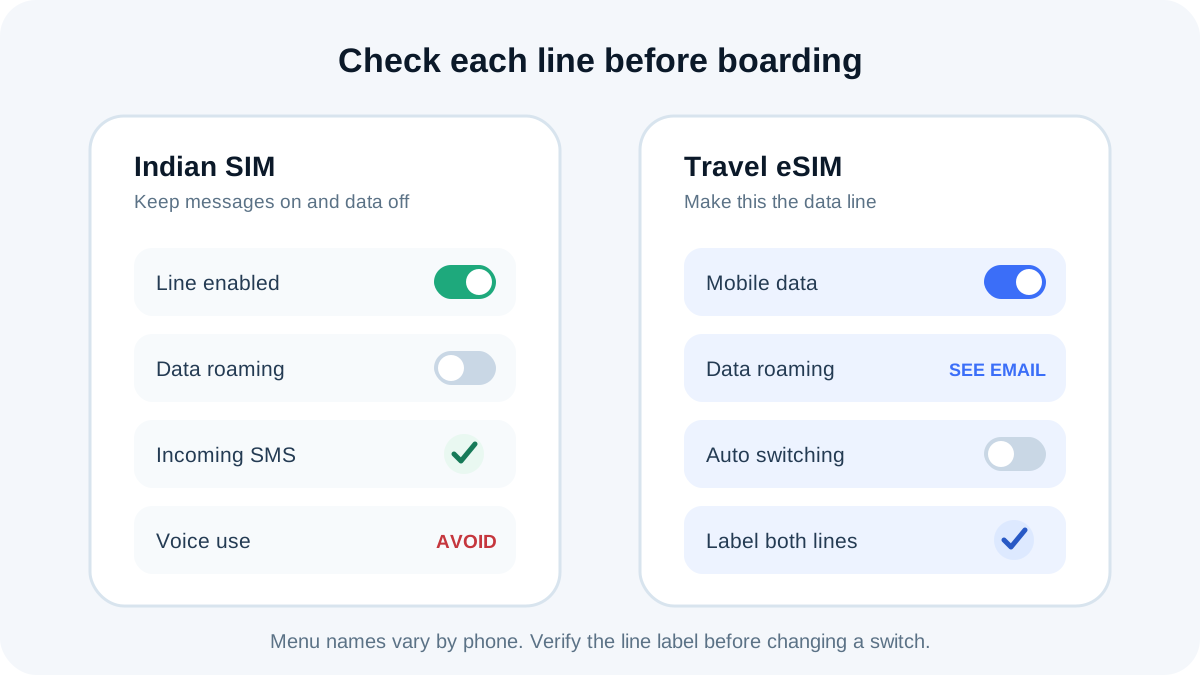
Why background data becomes expensive
A phone can transfer data without a visible app session. Common sources include:
- cloud photo and video backup;
- email attachment downloads;
- app and operating-system updates;
- social-media preloading;
- map tile refresh and location history;
- push notification services;
- Wi-Fi Assist or adaptive connectivity;
- hotspot traffic from another device.
Data counters may update after the network usage occurs, and roaming partners can report chargeable activity later. Airtel's terms explicitly note that partner usage reporting can appear in subsequent bills. A blank usage screen at the airport is not proof that no data was consumed.
Calls can cost money even when you do not dial
An answered incoming call is commonly chargeable on international roaming unless a pack includes it. Voicemail and call forwarding can also create unexpected events. The exact treatment depends on the operator, country and pack.
If someone calls the Indian number, decline it and return the call through an internet service using travel-eSIM data when appropriate. If cellular voice is essential, buy a current operator pack that clearly covers incoming and outgoing calls.
| Call event | Possible roaming consequence | Safer habit |
|---|---|---|
| Answer incoming cellular call | Per-minute charge or pack deduction | Decline unless expected and covered |
| Place call to India | Outgoing international roaming rate | Use an app call or voice-inclusive pack |
| Call local destination number | Local outgoing roaming rate | Use an app or check the pack first |
| Reach voicemail | Forwarding or access charge can apply | Review voicemail and diversion before travel |
Outgoing SMS is not incoming SMS
Receiving a bank message may carry no additional charge, but sending one can use a standard roaming rate or pack allowance. This matters when a bank app tries to verify the SIM by sending a silent or visible SMS, or when the user replies to a short code.
Read every confirmation prompt. If an app says it will send a text, stop and check the operator's current outgoing-SMS rule. Some banking features may require that message and cannot be completed over a data-only eSIM.
Packs reduce risk only inside their terms
A roaming pack is not universal insurance. It may cover only named countries, begin on first chargeable use, expire on India Standard Time or local time, exclude maritime and inflight networks, and apply post-pack rates after an allowance is exhausted.
Before buying, compare:
| Detail | Question to answer |
|---|---|
| Destination | Is the exact country in the covered group? |
| Validity | When does day one start and which time zone ends it? |
| Data exhaustion | Is data blocked, slowed or charged after the allowance? |
| Voice | Are both incoming and outgoing minutes included? |
| SMS | Does the allowance cover outgoing messages? |
| Special networks | Are aircraft, ships, satellites or premium numbers excluded? |
Screenshots of the checkout terms are useful when the catalogue changes during the trip.
Operator checks before leaving India
Read the complete Indian-number OTP guide for the full table. The short version is:
- Airtel prepaid currently offers an IR activation route for incoming SMS, with chargeable use at standard rates.
- Jio prepaid should follow the active IR status and recharge shown in MyJio, not a one-time-purchase myth.
- Vi says prepaid IR is pre-activated in most circles, but the number still needs verification.
- BSNL prepaid may require a Dual IMSI roaming SIM from a Customer Service Centre plus a current voucher.
- Postpaid customers should confirm service activation, credit controls and PayGo exposure.
What to do immediately after landing
Wait for both lines to register. The travel eSIM should obtain data, while the Indian line should show a supported partner. Do not request multiple bank OTPs before the Indian line has service.
If the Indian line does not register:
- Use travel-eSIM data to check the operator app.
- Confirm IR and account validity.
- Restart the phone.
- Leave network selection automatic first.
- Use only an operator-listed partner for manual selection.
- Contact official support if registration still fails.
Do not enable Indian-line data roaming as a generic repair. Network selection and packet-data permission are different controls.
Screenshot this pre-boarding checklist
INDIAN SIM ABROAD: FINAL CHECK

[ ] Base plan or postpaid account is active
[ ] International roaming is confirmed in operator app
[ ] Destination and travel dates are covered
[ ] Indian line stays ON for incoming SMS
[ ] Indian-line DATA ROAMING is OFF
[ ] Travel eSIM is selected for MOBILE DATA
[ ] Automatic data switching is OFF
[ ] Ordinary cellular calls will be declined
[ ] Outgoing SMS prompts will be checked first
[ ] Bank backup login and operator support are saved
Take a screenshot after setting each line. Repeat the check if you add another eSIM, reset network settings or install a major system update.
If you see an unexpected charge
Do not delete the eSIM or reset the phone immediately. Preserve the evidence first:
- screenshot line settings and data counters;
- save operator app usage and pack screens;
- record local time, destination and partner network;
- download the itemised bill when available;
- ask support which event type created the charge.
Then disable the affected line or its data permission while you investigate. A precise record gives support more to work with than a general statement that roaming was off.
Choosing data for the trip
For one to three days, a current Indian-operator pack may win when it bundles enough data and calls. For a longer app-heavy trip, a travel eSIM can provide clearer data budgeting while the Indian line remains isolated for messages. Use the Airtel and Jio versus eSIM comparison and check live prices on the same day.
The short version
Bill-shock prevention is a configuration, not a hope. Put mobile data on the travel eSIM, turn Indian-line data roaming off, and disable automatic switching. Then treat calls and outgoing SMS as chargeable unless current pack terms explicitly say otherwise.
Data for the trip: TripMojo eSIM from ₹191, your Indian number stays on.
Frequently asked questions
Can an Indian SIM use roaming data without an app open?
Yes. Backup, updates, push services and system processes can transfer data in the background. Block that path with the line-specific data-roaming control.
Does selecting an eSIM automatically disable Indian-SIM data?
Not always. Select the eSIM, turn Indian-line data roaming off and disable automatic data switching as three separate checks.
Will turning off data roaming stop bank OTPs?
No. Ordinary SMS does not use mobile data. Keep the Indian line enabled and its operator-level international roaming service active.
Can answering an incoming call create a roaming charge?
Yes. Incoming cellular calls can be chargeable unless a current pack includes them. Check the destination rate before answering.
Is sending an SMS abroad free if receiving one is free?
No. Incoming and outgoing SMS are separate events. An outgoing text can use a pack allowance or standard roaming rate.
Why did my phone switch back to the Indian SIM for data?
Automatic data switching, backup data or a call-related failover may be enabled. Turn that feature off in the dual-SIM settings.
Does a roaming pack prevent every extra charge?
No. Country exclusions, exhausted benefits, special networks and actions outside the pack can still be charged. Read the live terms.
What proof should I save before travel?
Save activation and pack confirmations, screenshots of both line settings, the operator's support details and a bank backup-authentication method.
Sources
- Airtel International Roaming terms, checked 6 September 2026
- Jio International Services FAQs, checked 6 September 2026
- Vi International Roaming FAQs, checked 6 September 2026
- BSNL International Roaming tips, checked 6 September 2026
- Apple: Use Dual SIM with an eSIM, checked 6 September 2026
Written and fact-checked by Tripmojo’s editorial team. Drafted with AI assistance, then reviewed by Simran Raheja before publishing.
Related articles
 eSIM vs Local SIM vs Roaming - What to Use Abroad
eSIM vs local SIM vs roaming compared with real 2026 prices - cost math by trip length, the bank OTP trap most guides skip, and a pre-flight setup checklist.
 How to Get Bank OTPs in Thailand on Your Indian SIM
A short setup guide for keeping an Indian SIM available for bank OTPs in Thailand while a travel eSIM handles affordable mobile data.
 First Time Flying Abroad from India: Airport & Emigration Guide
Planning your first international trip from India? Here is the complete step-by-step walkthrough covering airport counters, emigration, cash rules, and landing.
 Airtel and Jio Roaming Packs vs Travel eSIM in 2026
An honest 13-destination comparison for Indian travellers, showing when Airtel or Jio roaming can beat an eSIM and when separate travel data costs less.
- Best Places to Travel in October 2026: Where to Go & Avoid
Looking for the best places to travel in October 2026? From warm Mediterranean escapes like Crete to Patagonia and Northern Vietnam, here is where to head.
- Is the JR Pass Worth It in 2026 for Indian Travellers?
The JR Pass costs Rs 30,000 in 2026. Here is the break-even math in rupees, the October price hike, and what to do when Indian cards fail on SmartEX.