How to Keep Your Indian Number for OTPs Abroad in 2026
A practical dual-SIM guide for receiving bank OTPs abroad while a travel eSIM handles data, with current Airtel, Jio, Vi and BSNL checks.
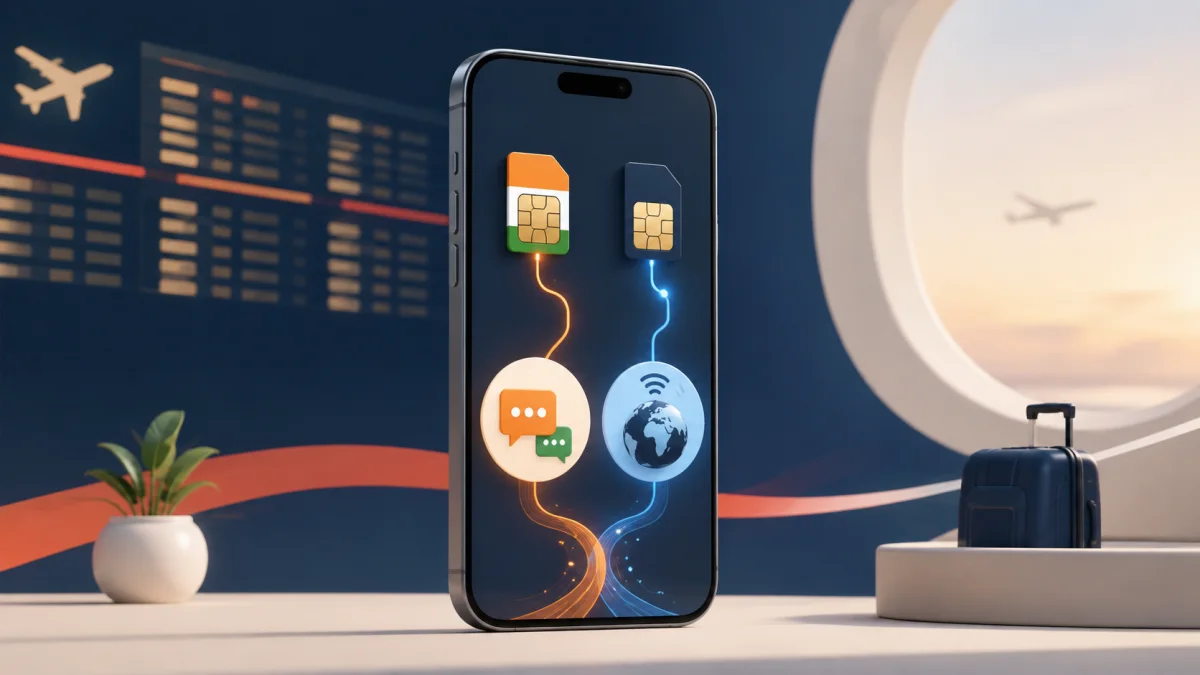
Keep your Indian SIM switched on with international roaming active, but turn data roaming off for that line. Make a travel eSIM the mobile-data line and keep the Indian SIM available for incoming SMS. Check the exact activation rule in your operator's app before leaving India.
You do not have to choose between affordable travel data and the Indian number linked to your bank. The dual SIM plus eSIM setup most travellers from India use keeps both lines active: the Indian SIM stays available for incoming messages, while a travel eSIM carries Maps, WhatsApp, UPI and browsing.
This guide covers how to keep your Indian number active abroad, how to run international roaming for OTPs only without paying for roaming data, and what to check when an OTP is not received abroad.
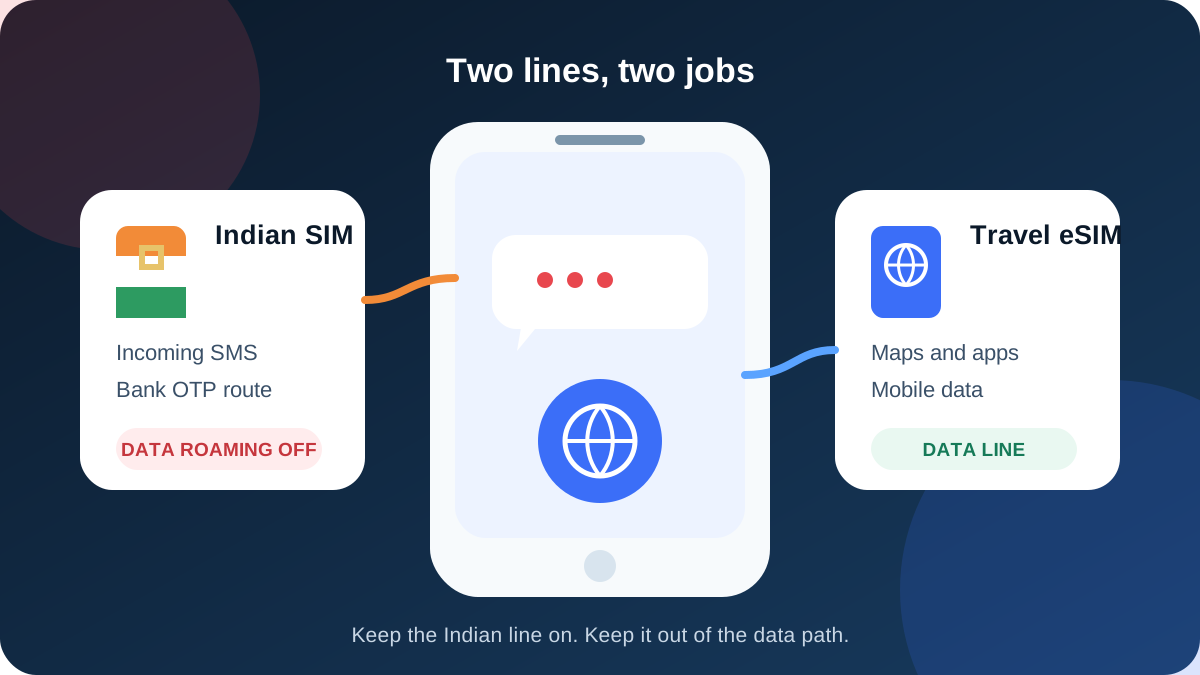
The distinction is between international roaming service and data roaming. The Indian line needs the roaming service enabled so it can register on a foreign network, but its data roaming toggle should stay off when you only want messages. The travel eSIM is the data line.
Note: Incoming SMS, including OTPs, is free on international roaming with most Indian operators, but roaming has to be enabled before you fly and some prepaid plans need a small activation pack first.
Charges and rules vary by operator, plan type and country. Confirm in your operator's app before departure.
That describes common charging rules, not a promise that every OTP will arrive. Delivery also depends on the sender, its SMS gateway, your line's validity and successful registration on a supported foreign network.
Why bank OTPs still need your Indian SIM
Banks and card issuers send verification messages to the number registered on the account. A data-only travel eSIM connects your phone to the internet, but it does not replace that registered number and normally does not provide an Indian number at all.
WhatsApp and most apps continue on the eSIM's data without changing their registered number. SMS is different: it must reach the Indian SIM through a roaming partner. Keep that SIM installed, powered on and valid, and test banking access before departure.
The safest dual-SIM setup: international roaming for OTPs only
Use one line for identity and one for data, so background apps cannot reach pay-as-you-go roaming.
| Phone role | Indian SIM | TripMojo travel eSIM |
|---|---|---|
| Incoming SMS and bank OTPs | On | Not used |
| Default voice line | Indian SIM, with calls avoided abroad | Not available on a data-only plan |
| Mobile data | Off | On |
| Data roaming toggle | Off | On if the eSIM instructions require it |
| Automatic data switching | Off | Off |
Do this while you still have reliable internet in India:
- Confirm the Indian line's validity or postpaid account is active.
- Enable the operator's international roaming service or required activation product.
- Install the TripMojo eSIM, following the activation timing shown at checkout.
- Label the lines clearly, such as
India OTPandTravel data. - Select the travel eSIM for mobile data.
- Turn data roaming off on the Indian line.
- Disable cellular-data switching, so the phone cannot fall back to the Indian line.
- Leave the Indian SIM enabled for registration and incoming SMS.
Operator-by-operator checks for September 2026
Reviewed 6 September 2026. Operators can change eligibility, partners or tariffs.
| Operator and plan | What usually keeps incoming SMS available | Where to confirm before flying |
|---|---|---|
| Airtel prepaid | Keep service validity active and buy the current IR activation product. Airtel's terms list a 28-day activation option and an incoming SMS benefit | Airtel Thanks app, International Roaming |
| Airtel postpaid | Enable IR in Airtel Thanks. A pack is optional, but chargeable use can bill at standard rates | Airtel Thanks app, Postpaid, International Roaming |
| Jio prepaid | Keep base validity active and follow the MyJio prompt for an active IR recharge. Jio's FAQ says incoming SMS is free when the line is properly active | MyJio, International Roaming Activation |
| Jio postpaid | Enable IR in MyJio or on Jio.com. Standard pay-as-you-go rates apply without an advance pack | MyJio, International Roaming |
| Vi prepaid | Vi says IR is pre-activated in most circles. Where activation is needed, current instructions use ACT IMRS to 199 | Vi app or Vi International Roaming page |
| Vi postpaid | Activate IR before departure in the Vi app, website or support. Standard rates apply without a pack | Vi app, International Roaming |
| BSNL prepaid | May require a Dual IMSI roaming SIM from a Customer Service Centre plus a current IR voucher. Start early and get the requirement in writing | BSNL Customer Service Centre and IR portal |
Read the focused guides for Airtel prepaid activation, Jio roaming and Vi and BSNL roaming before relying on a line abroad.
iPhone settings for OTP plus travel data
- Open Settings, then Cellular or Mobile Service.
- Under SIMs, open the Indian line and keep Turn On This Line on.
- On that Indian line, open Cellular Data Options and turn Data Roaming off.
- Return to the Cellular screen and open Cellular Data.
- Select the TripMojo eSIM and turn Allow Cellular Data Switching off.
- Open the travel eSIM and follow its install email. Most need data roaming on, because they connect through partner networks.
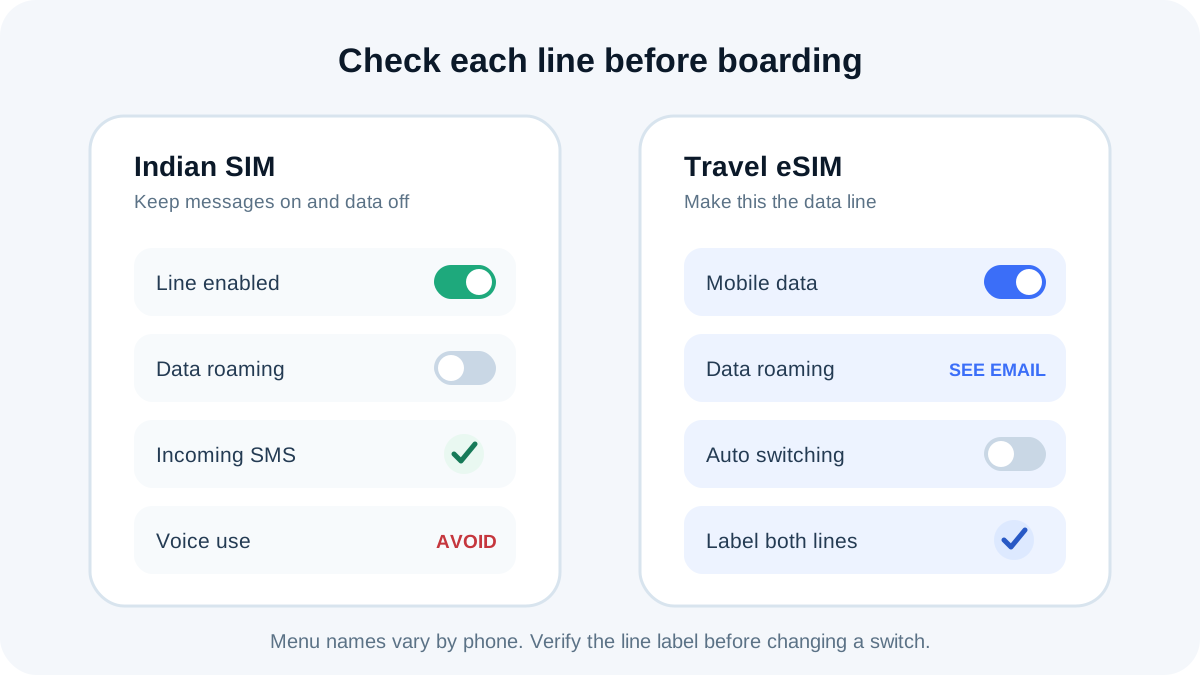
Do not switch off the Indian line itself.
Android settings for OTP plus travel data
- Open the phone's SIM manager and keep both SIMs enabled.
- Set Mobile data or Preferred SIM for data to the TripMojo eSIM.
- Open the Indian SIM's settings and turn Data roaming off.
- Disable Switch mobile data automatically, Backup calling or an equivalent failover option.
- Keep SMS assigned to the Indian SIM if asked for a default.
- Turn data roaming on for the travel eSIM only if its instructions say so.
Screenshot the finished settings before your flight.
OTP not received abroad: what to check, in order
A missing OTP is usually a registration or validity problem, not a settings one. Work through these in order rather than changing several things at once.
- Is the line showing a foreign network? No operator name means it has not registered, so no SMS can reach it. Restart, and leave network selection automatic.
- Is the line still valid? Expired prepaid validity or a barred postpaid account stops incoming SMS even where roaming is active.
- Is roaming active on this number? Pre-activation in most circles is not confirmation for yours. Read the status in the operator app, not the policy page.
- Did other messages arrive? If ordinary SMS reaches you but one bank's OTP does not, the sender's gateway is the problem. Use the bank's resend, then its backup method.
- Is the country supported for your plan? Country groups differ by operator and product.
- Try a supported partner network manually if automatic selection keeps failing.
Do not turn data roaming on as a fix. Incoming SMS does not travel over packet data, so it adds cost without adding a delivery route. If none of this resolves it, contact the operator over Wi-Fi or the eSIM and keep a second verification method available.
Three mistakes that cause roaming bill shock
1. Leaving data roaming on for the Indian SIM
Photo backup, app refresh, email sync and system services transfer data with no app visibly open. A few minutes of pay-as-you-go roaming can cost more than the eSIM, and picking the eSIM is not enough if automatic data switching stays on.
2. Sending an SMS or answering a call from the Indian line
Receiving an SMS and sending one are different billing events. An outgoing registration message, a reply to a short code, voicemail diversion or an answered call can be charged at the visited country's roaming rate. Use internet calling on the eSIM and avoid voice activity on the Indian line.
3. Assuming a pack applies everywhere or forever
Country groups, validity windows and plan eligibility change. Jio's instructions require you to verify active roaming status rather than treat one past purchase as permanent access, and BSNL can require a specific SIM and voucher. Check the destination and dates in the operator app each time.
For a printable sequence, use the bill-shock checklist. Going to Thailand? The Thailand bank OTP setup compares a 10-day data option, and the dated Airtel and Jio roaming versus eSIM comparison covers the buying decision.
Pre-boarding checklist
- Indian line valid, roaming confirmed in the app, destination supported.
- Travel eSIM installed, labelled, set as the mobile-data line.
- Data roaming off for the Indian line; automatic data switching off.
- Bank login tested; backup verification method saved offline.
The short version
Keep the Indian SIM on for identity and out of the data path. That one rule cuts billing risk while preserving the best available route for bank messages.
Data for the trip: TripMojo eSIM from ₹191, your Indian number stays on.
Frequently asked questions
Can I receive bank OTPs abroad without using roaming data?
Yes, when the line is valid, its roaming service is active and it registers on a supported network. Turn data roaming off for that line and use the eSIM for data. The bank and its messaging provider still control delivery of any particular OTP.
Is incoming SMS free on international roaming?
Incoming SMS generally carries no additional charge on supported active roaming across the major Indian operators reviewed here, but activation, validity and country support still matter. Confirm the rule shown for your number in the operator app before departure.
Does turning off data roaming stop OTP messages?
No. That toggle controls packet data, not ordinary incoming SMS. Keep the Indian line enabled and its roaming service active while leaving data roaming off on it.
Can a TripMojo eSIM receive my Indian bank OTPs?
No. The travel eSIM is data only and does not replace the Indian number registered with your bank. Keep the Indian SIM enabled for messages while the eSIM carries app data.
Should the Indian SIM remain the default voice line?
It can, but avoid answering or placing cellular calls unless you know the rate. You can also set the phone to ask which line to use per call.
Do I need a roaming pack for every operator?
No single rule covers every operator and account type. Airtel prepaid lists a service activation option, Jio prepaid directs users to an active IR recharge, Vi prepaid is pre-activated in most circles, BSNL can require a roaming SIM and voucher.
Why is my OTP not received abroad?
Usually the line has not registered on a foreign network, its validity has lapsed, or roaming was never activated for that number. Check those three first. If other SMS arrives and only one bank's OTP does not, the sender's gateway is the cause.
Can I guarantee that every banking OTP will arrive?
No. Correct setup gives the message a network path, but the sender, SMS gateway, account security controls and partner network also affect delivery. Keep a backup authentication route where your bank offers one.
Sources
- Airtel International Roaming terms, checked 6 September 2026
- Jio International Services FAQs, checked 6 September 2026
- Vi International Roaming FAQs, checked 6 September 2026
- BSNL International Roaming tips, checked 6 September 2026
- Apple: Use Dual SIM with an eSIM, checked 6 September 2026
- Google Android Help: SIM settings, checked 6 September 2026
Written and fact-checked by Tripmojo’s editorial team. Drafted with AI assistance, then reviewed by Simran Raheja before publishing.